Compare Jetson Orin Nano Super Developer Kit with Edge AI alternatives
Run a local language or vision assistant. Compare the complete setup, developer access and trade-offs before choosing your first build.
Motion and sensor AI: Thingy:53, Nano Sense Rev2 or Nicla Sense ME? →Jetson Orin Nano Super Developer Kit
Start here when the project needs Linux, a CUDA GPU and flexible model runtimes. Our first build turns a short repair note into structured work-order fields with a small local language model. Vision or speech can be added as separate, measured stages.
Choose Nano for a few sensor events with tight size constraints. Choose a Pi camera route for a fixed supported vision pipeline. Jetson adds software, cooling and memory planning even when the model is small.
Hardware facts link to manufacturer documentation. Build fit is our editorial assessment. The linked hardware experiments are still unrun; synthetic code checks do not establish accuracy, speed, battery life or reliability on these devices.
Compare the whole build
Choose two products, or add a third. On a small screen, swipe across the table.
| What matters | 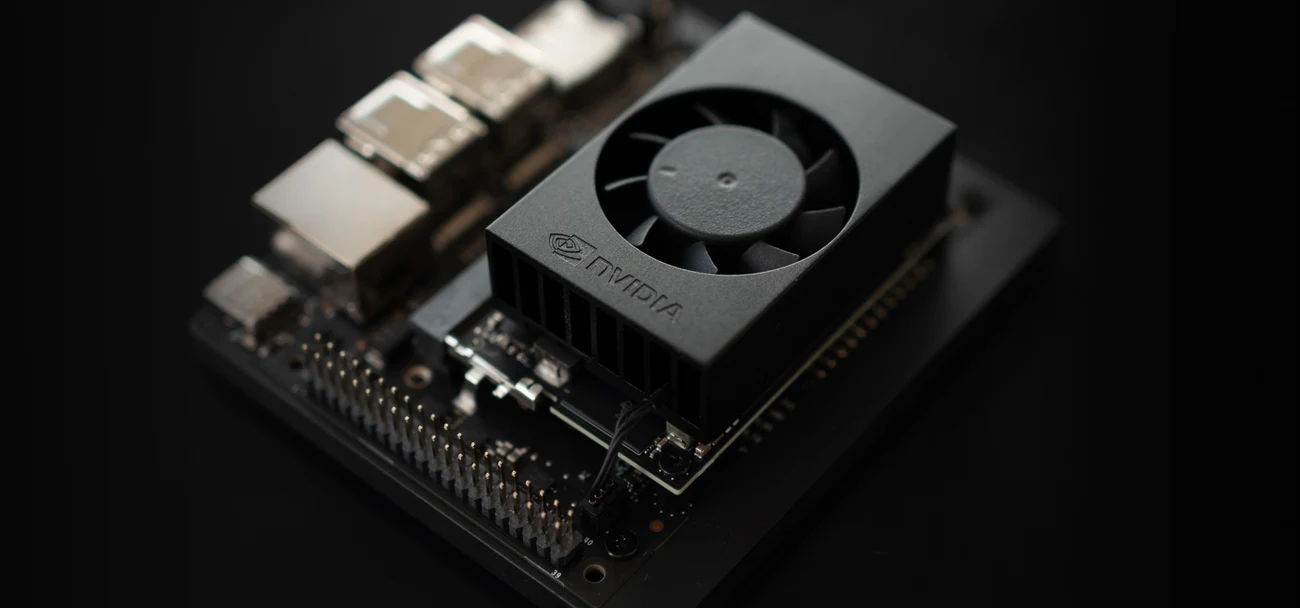 Jetson Orin Nano Super Developer Kit ↗Full specificationsEstimate my cost → | 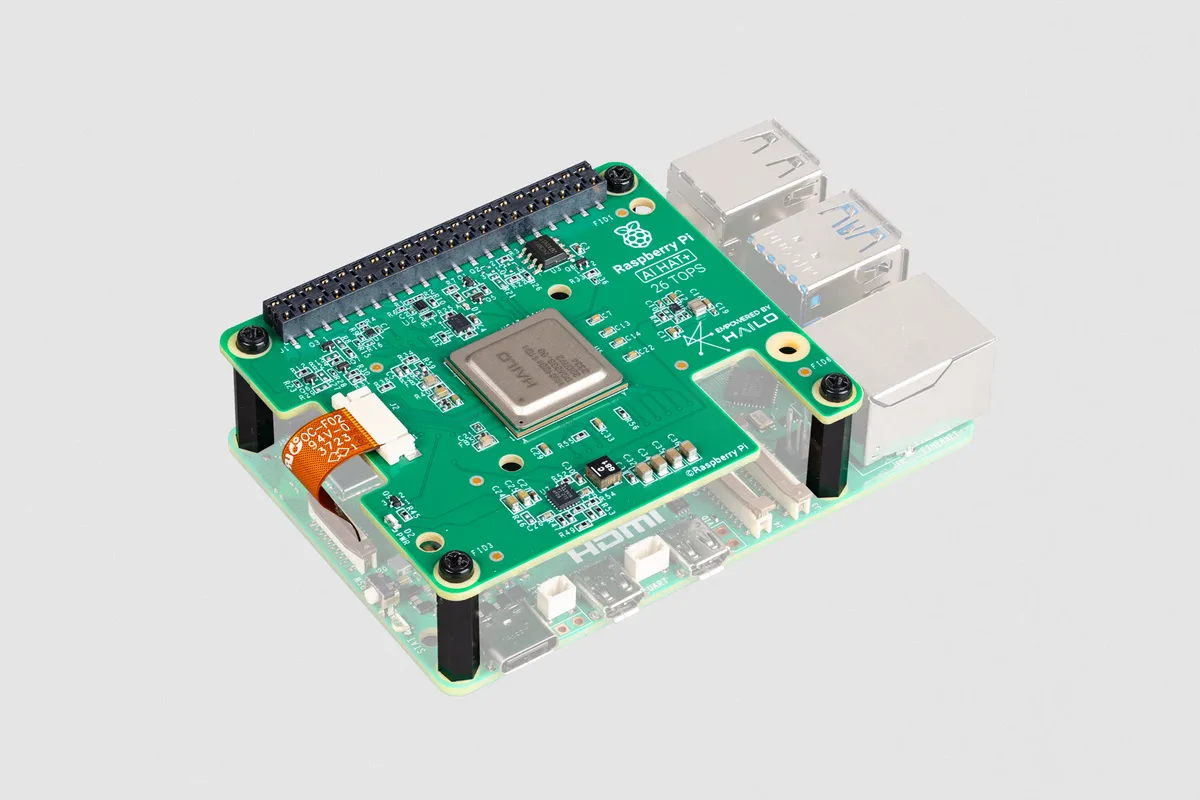 Raspberry Pi AI HAT+ ↗Full specificationsEstimate my cost → |
|---|---|---|
| Who it suits | Start here when the project needs Linux, a CUDA GPU and flexible model runtimes. Our first build turns a short repair note into structured work-order fields with a small local language model. Vision or speech can be added as separate, measured stages. | Start here for a Pi 5 camera pipeline that needs a supported Hailo vision network and host-side tracking or counting. The accelerator handles inference while the Pi can maintain track IDs and apply a crossing-line rule. |
| What you can build first | Proposed first result: turn a short work-order note into a small JSON record locally, then flag unsupported part numbers or dates for review. A camera-based bench assistant is a later extension. Begin with a compact model and one task; do not buy assuming a large cloud assistant can be reproduced unchanged. Local work-order build | Proposed first result: count a bottle once when it crosses a line, then save the count and timestamp instead of a video archive. Later possibilities include pose-driven interfaces and separating a foreground object from its background. A bounding box alone is not a reliable counter: tracking, crossing direction and duplicate suppression are your application logic. Bottle-counting build |
| Device price | $249 manufacturer reference price for the Orin Nano Super Developer Kit. This is a published kit price, not a confirmed current reseller offer. NVIDIA announcement | $70 for 13 TOPS or $110 for 26 TOPS, manufacturer reference prices for the original AI HAT+. Pi 5 and camera are separate. This is not the AI HAT+ 2. Official announcement |
| Other setup costs | The kit includes a power supply; storage is extra. Allow $30–70 for suitable microSD/NVMe storage and setup accessories (editorial estimate). A vision build needs a camera: allow another $20–60 for a basic USB camera. Reuse a computer or display/keyboard for setup. Kit and storage requirements | Example host: Pi 5 2GB at announced $77.50. Allow another $65–100 for a basic camera, correct cable, power, active cooling and microSD (editorial estimate). Higher-resolution cameras, larger RAM and an enclosure can increase this. Pi 5 price update |
| Subscriptions and usage | $0 service-plan budget for a fully local prototype using free development tools and a model whose licence permits your use. Hosted model APIs, cloud training, support contracts and paid models are optional extras. Continuous power consumption is a real running cost excluded from these estimates. JetPack development stack | $0 required service-plan budget for the proposed local object counter using a supported Hailo model. Optional model-training services, paid development support, remote hosting or cloud AI are separate. Free local execution does not make custom model conversion effortless. Local Hailo runtime |
| First-year build budget | Estimated $279–319 for a local text assistant: $249 kit + $30–70 extras. For a basic camera-based assistant, estimate $299–379 after adding $20–60 for a camera. Both assume $0 paid cloud services and an existing setup computer. | Estimated $212.50–247.50 for 13 TOPS, or $252.50–287.50 for 26 TOPS. Formula: $70/$110 HAT + $77.50 Pi + $65–100 vision accessories + $0 service plan. An equipped Pi 5 owner may only need the HAT and any missing camera/cooling parts. |
| Price basis and date | USD · NVIDIA reference price · Checked 5 Nov 2026; reseller checkout not verified. | USD · Manufacturer reference prices · Checked 5 Nov 2026; reseller checkout not verified. |
| Getting started and difficulty | Follow the Jetson getting-started image and storage instructions, verify the installed JetPack version, and run one supported small model before building an interface. Download needed model files first; then test the task with network access removed. Learn Linux, runtime/model compatibility and memory monitoring. Setup | First install the supported Pi OS/Hailo stack and run a supplied detector with one clearly visible bottle. Confirm detections before writing any counter. Then log track IDs and line crossings; replay a short sequence against a manual count. You need terminal, Python and camera-setup skills. Custom model compilation is a separate, more demanding task. Official setup |
| Input and output | Text, or an added camera/microphone → GPU/CPU pipeline → generated text or structured output. The developer kit has no built-in camera or microphone. | Separate camera → Pi preprocessing → PCIe accelerator → detection output → Pi tracking and application logic. Detecting the same object in several frames is not the same as counting it once. |
| Where the model runs | An Ampere GPU and six-core Arm CPU share 8 GB memory. Up to 67 sparse INT8 TOPS in Super configuration; that figure is not language-model tokens per second. NVIDIA configuration | Hailo-8L at 13 TOPS or Hailo-8 at 26 TOPS, paired with Raspberry Pi 5. These are INT8 accelerator ratings. Confirm the exact variant. Hardware specifications |
| Complete the setup | 8 GB Super developer kit + suitable power supply + boot/model storage + initial setup peripherals. Add a camera or microphone for those inputs. Check kit contents and allow space for active cooling. | AI HAT+ + Raspberry Pi 5 + compatible camera + power supply + OS storage. Allow for cooling, PCIe connection and enclosure clearance. The HAT alone is not a computer or camera. |
| Path to a custom model | JetPack and compatible CUDA runtimes; TensorRT for supported vision models, or a supported local language runtime such as Ollama. Check Arm64 packages, quantization, context length and peak shared memory. | Raspberry Pi camera stack or Hailo pipelines. Use a matching compiled HEF model. Custom models require a supported Hailo compiler/model-zoo path, calibration data and compatible runtime versions. |
| Power and portability | NVIDIA lists 7 W, 15 W and 25 W module modes. These are not total wall-power measurements; add carrier, storage, sensors and cooling. A battery-powered robot needs a separate system power budget. | Budget for Pi 5, accelerator, camera and cooling together. Sustained operation in an enclosure needs thermal testing. Accelerator TOPS alone does not tell you whole-system watts or latency. |
| First hardware test | Use held-out notes with corrections, missing fields and distractors. Measure field accuracy, first-token delay, tokens/second, peak memory and temperature. Repeat with the intended camera or audio stages running. | Move the same object across a counting line repeatedly, reverse direction and introduce occlusion. Compare counts with manual ground truth. Log dropped frames, end-to-end delay and temperature over a sustained run. |
| When to choose another route | Choose Nano for a few sensor events with tight size constraints. Choose a Pi camera route for a fixed supported vision pipeline. Jetson adds software, cooling and memory planning even when the model is small. | Choose AI Camera for its integrated sensor and supported on-sensor pipeline, especially with an older Pi. Choose Jetson for local language models. This comparison covers the original AI HAT+, not AI HAT+ 2. |
Measure the application
For a counter, measure count error and delay. For a wearable, measure false triggers and current. For a language assistant, measure field accuracy and response time. TOPS ratings across different architectures, precision and sparsity settings do not answer those questions.
Price the complete setup
Include the host, sensors, storage, power supply, cooling, enclosure and model-development effort. A camera module, an accelerator board and a developer kit include different things. Check current regional prices with the makers before purchasing.
These can work together
A proposed robot could use Nano for motion events and Jetson for perception. A Pi can turn camera detections into dashboard events. Define timestamps, stale-data handling and the communication link before combining devices. Local inference still needs an explicit data-retention and network policy.