Home Assistant Voice Preview Edition
Give an existing Home Assistant setup a spoken interface. Start with one useful command and choose where speech processing runs.
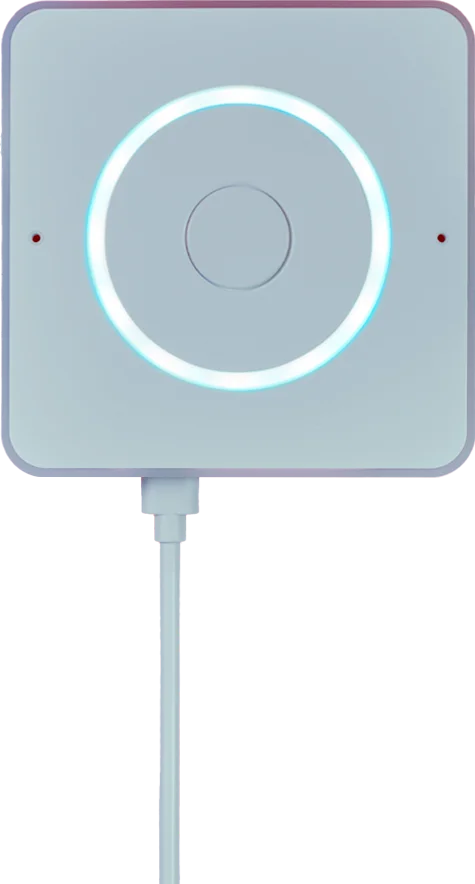 Photograph
Voice PE satellite
Official product photograph of the voice satellite.
Visual gallery
Is this for me?
For Home Assistant users who want spoken control of their own devices and are willing to choose and configure the speech-processing pipeline. It is a microphone/speaker endpoint for a separate Home Assistant host, not a self-contained general-purpose AI computer.
What you can do with it
Proposed first result: ask whether a desk light is on and hear its actual current state. Add one sentence-triggered automation, then a narrowly defined room-status question. This gives a visible, checkable result before trying free-form conversation. Desk-status build
What the complete setup costs
The official page shows a $69 USD recommended price on 10 Nov 2026. Add a suitable USB-C power supply/cable and a running Home Assistant host with storage and networking if you do not own them. Those missing items need quotes; $69 alone is not a complete setup total. Local speech may require a stronger host depending on the chosen engine.
A local pipeline has no required cloud subscription. Optional Nabu Casa voice processing lists $6.50/month or $65/year in USD: $134 device-plus-annual-service subtotal, before host/power costs, tax and shipping. Twelve paid monthly payments add $78; trial eligibility changes first-year cash outlay. Optional LLM API fees are separate, and both device and host use electricity.
How to start — and what you need to learn
First make the desk-status command work as text in Home Assistant. Then configure the speech pipeline, add the Voice device and expose only the entity needed for that command. Test speech recognition separately from the automation. Home Assistant configuration comes first; ESPHome firmware changes are optional later work. Local/cloud pipeline guide
When another product is a better choice
Use the phone’s existing Home Assistant interface to validate the command before buying another microphone. Choose Reachy Mini only if physical expression is part of the experience you want to build; it introduces robotics and application work.
What we know — and what still needs testing
Host dependence, voice pipeline choices and listed prices are documented. We have not measured room acoustics or latency. Test an unavailable host, noisy room, unsupported phrase and stopped speech service; the device should distinguish failure from successful execution. Failure test
Muse hardware checks pending. Inside AI has not flashed or tested this configuration. On Voice PE, record one note and check the app reply separately from any sound at the speaker. Repeat with the hardware mute switch on. Reboot to check the dial setting, then interrupt and restore Wi-Fi to compare the ring with the actual connection state.
Architecture
Two microphones feed an XMOS XU316 audio processor; the ESP32-S3 runs the satellite firmware. Hardware specification
ESPHome streams a voice request to Home Assistant. Speech recognition, intent handling and response generation are separate stages; the puck is not a standalone general-purpose AI computer. ESPHome audio interface With a local pipeline, speech-to-text and Piper text-to-speech run on your own host. A cloud speech provider changes that path. Local pipeline guide
Documented capabilities
Control exposed Home Assistant entities and hear spoken replies. A successful wake-up is only the beginning: a request must still be transcribed, matched to an action and executed. Entity exposure
The useful design choice is how much language you need. Speech-to-Phrase recognizes a bounded command set; Whisper attempts open-ended transcription. Neither choice itself adds an LLM. Recognition options Our first build uses a deliberately narrow desk-status question so each stage can be inspected. Build the desk-status responder
With Muse firmware. Hold the centre button to record a voice note. Release it to send. Look in the Muse app for the answer. The 12-LED ring shows connection state: green for connected, blinking yellow for reconnecting and blinking red for an error. Turn the dial to set speaker volume. The ring shows the level and the setting persists across restarts. Muse voice gadget guide · Voice PE controls
SDKs, APIs & extensibility
Start at the Home Assistant layer: sentence triggers map phrases to an automation and a chosen response. This lets you add a precise workflow without replacing the device firmware. A text request can test that workflow before introducing microphones or speech recognition. Sentence trigger reference
For lower-level work, the published ESPHome firmware is available. Firmware source Voice lifecycle callbacks expose listening, transcription, intent, speech output and error events, giving a custom build places to report progress. Adding many other components can exhaust audio resources; measure stability after each change. ESPHome component reference
Flashing Muse replaces the ESPHome firmware on the ESP32-S3. The XMOS chip keeps its own audio firmware. The stock Assist instructions above send speech into your configured Home Assistant pipeline. With Muse installed, pair in the Muse app using a personal SDK token and Wi-Fi. Button-recorded audio goes to Muse. A Home Assistant automation triggered through this new path would need a separate integration. Board-specific flash notes · SDK pairing and access · Compare the BOX-3 voice paths
Limitations
Local does not mean host-free. Budget for a running Home Assistant machine, Wi-Fi and the selected speech engines. Recognition speed and language quality depend on that host and configuration; we have no room-acoustic or latency measurements. Local voice requirements
Pin the speech app version. The old Speech-to-Phrase repository stops at v1.4.3, while current development moved to a rewrite with different language coverage. A custom phrase that reaches Home Assistant as text is not proof the selected recognizer can produce it from audio. Migration notice Current recognition app
Privacy & data flow
In a fully local speech pipeline, audio stays within the selected local system; a cloud speech or conversation provider creates an additional destination. Verify the configured providers rather than inferring privacy from the enclosure. Local pipeline choices
The physical mute switch cuts microphone power. Hardware controls Decide which entities to expose separately. For the proposed desk trial, retain only request category, timing and success/failure; avoid continuous audio capture. Inspect diagnostic logging and automation traces before sharing them, because they may contain utterances or entity names.