Get a first object label from UnitV2
Use the included cable and a local browser to see a built-in model label an ordinary object. This guide is based on M5Stack documentation, not a hardware test.
Device profile · M5Stack UnitV2 AI Camera (U078-D) ↗This is a proposed workflow. Follow the linked official setup, then use the checks below to decide whether it works on your hardware.
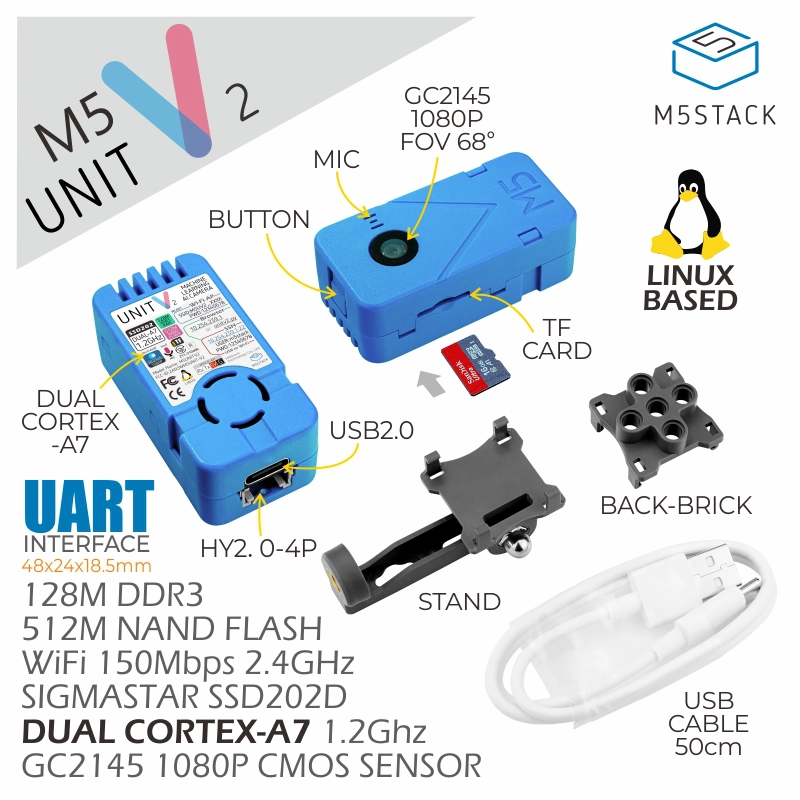
Prepare a bounded first setup
Use U078-D with its included USB-C cable and 32 GB card, an existing computer and a harmless bottle or cup. The camera kit was US$60 in M5Stack’s store on 22 Nov 2026; a new computer is unquoted. No model training or subscription is needed for the built-in first result. Official guide
Open the local recognition page
Connect USB, allow the device to boot and open unitv2.py or 10.254.239.1 in Chrome. If the USB network is absent on Windows/macOS, follow M5Stack’s SR9900 driver steps. Select Object Recognition, starting with the built-in nanodet_80class or yolo_20class option rather than uploading a model. Connection and function guide
Observe and separate failures
Point the lens at a familiar supported object, then move it out of view. Success means the live preview and class/box change with the scene; the UART example documents JSON with confidence and coordinates. If there is no page, separate driver/USB network trouble from recognition. If there is a page but no box, check focus distance, light, model class and angle before concluding the camera failed. Record firmware and browser versions. Inside AI has not run this procedure.
Only then extend it
Proposed: parse the documented UART JSON on a separately priced controller and switch an LED after repeated confident detections. Avoid using a single frame to trigger a consequential action. Unrun stability experiment. A custom model through V-Training is a later account-based workflow, not part of this first milestone.