Make a pose-based presence indicator
Proposed build · Use fresh joint-estimation results to report a workbench state without saving frames.
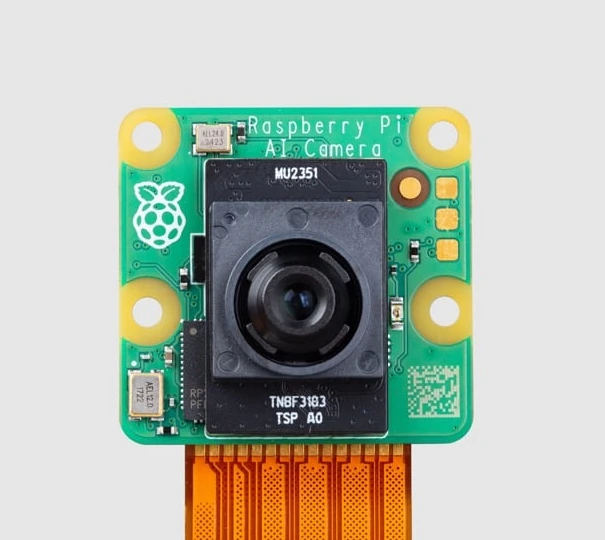
Device profile · Raspberry Pi AI Camera ↗This is a proposed workflow. Follow the linked official setup, then use the checks below to decide whether it works on your hardware.
Difficulty and prerequisites
Intermediate Python. Use an IMX500 AI Camera, compatible ribbon, supported Pi, updated Raspberry Pi OS, imx500-all, Picamera2 and a fixed mount. Install the documented Python example dependencies and obtain the current examples. Work in an empty room with one consenting participant. AI Camera developer guide
sudo apt install imx500-all python3-picamera2 python3-opencv python3-munkres
git clone https://github.com/raspberrypi/picamera2-examples.git
cd picamera2-examples/examples/imx500
1. Confirm the HigherHRNet baseline
Run the original Python example from its directory so it can find the label assets. Let the firmware load; verify that the preview follows the participant and stop with Ctrl+C. Copy the example before changing it. This Python example uses HigherHRNet; the separate rpicam pose demo uses PoseNet. HigherHRNet Python example AI Camera developer guide
python3 imx500_pose_estimation_higherhrnet_demo.py
cp imx500_pose_estimation_higherhrnet_demo.py bench_presence.py
2. Change the callback
In bench_presence.py, replace the whole picamera2_pre_callback function with the following code, including the occupancy dictionary immediately above it. Keep the upstream imports, model initialization and postprocessor. The proposed three-result rule dampens isolated detections. A missing tensor resets the vote and reports unknown; a valid result with no accepted pose advances the no-pose vote. HigherHRNet Python example
occupancy = {"state": None, "candidate": None, "votes": 0}

def picamera2_pre_callback(request):
    outputs = imx500.get_outputs(request.get_metadata(), add_batch=True)
    if outputs is None:
        occupancy.update(candidate=None, votes=0)
        if occupancy["state"] != "unknown":
            occupancy["state"] = "unknown"
            print("unknown", flush=True)
        return

    _, scores, _ = postprocess_higherhrnet(
        outputs=outputs, img_size=WINDOW_SIZE_H_W,
        img_w_pad=(0, 0), img_h_pad=(0, 0),
        detection_threshold=args.detection_threshold,
        network_postprocess=True,
    )
    observed = "pose present" if scores is not None and len(scores) else "no pose"
    if observed == occupancy["candidate"]:
        occupancy["votes"] += 1
    else:
        occupancy.update(candidate=observed, votes=1)
    if occupancy["votes"] >= 3 and occupancy["state"] != observed:
        occupancy["state"] = observed
        print(observed, flush=True)
3. Observe transitions
In the copied script change show_preview=True to show_preview=False, then run it from the same directory. Enter the marked area, pause, leave, and repeat. The proposed code prints only state changes and contains no image writer. Check operating-system or terminal capture separately if retention is part of the test. HigherHRNet Python example
python3 bench_presence.pyExpected artifact
A sequence of ‘pose present’, ‘no pose’ and possibly ‘unknown’ transitions. No pose means no qualifying output, which can also result from occlusion or posture. A stopped camera stream may produce no callback at all; a deployed indicator would need a separate watchdog. This is an unrun build for a controlled bench, not evidence of occupancy accuracy.
Software check · missing output
We exercised the callback with stand-ins for the camera and pose decoder. Three positive observations printed “pose present”. One missing output then printed “unknown”. Three fresh empty observations printed “no pose”. This checks the three state transitions. Only a camera trial can tell us how often data is missing or a person is overlooked. Run the presence test