Seeed Studio XIAO MG24 Sense (pre-soldered)
Could an $11.90 board tell a knock from a door slamming and send just that event over Thread? Start with a motion reading. Battery life depends on how often the complete node samples, classifies and transmits.
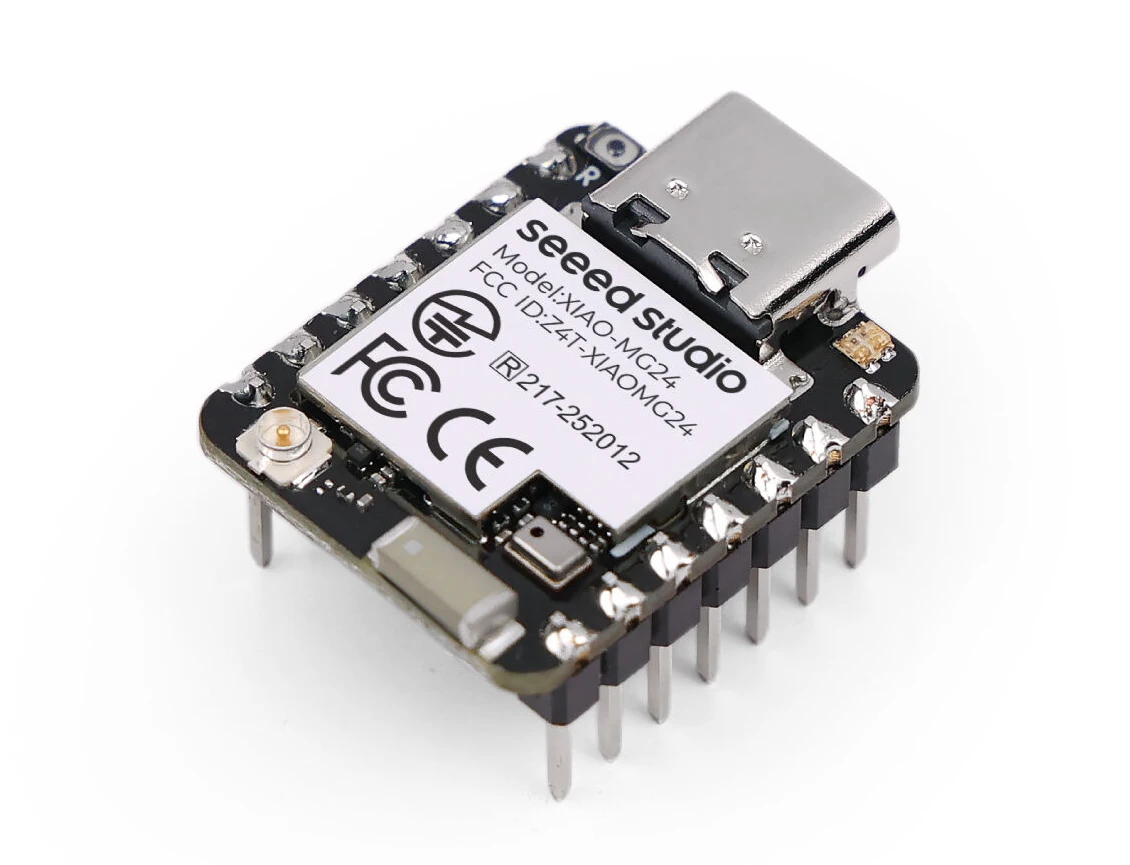 Photograph
XIAO MG24 Sense with pre-soldered headers
The USB-C connector and the two pre-soldered pin headers are visible in this view of SKU 102010691. Cropped from page 4 of the Seeed Studio datasheet and converted to WebP. This image is shared under CC BY-SA 4.0.
Visual gallery
Is this for me?
For an Arduino user building a battery-powered sensor for a smart home. Mount the Sense board on a door and ask which motion just happened. A short label can be useful to a home automation even when the household has no use for a recording.
What you can do with it
Start on USB. Tilt the board and watch its accelerometer readings move in the serial monitor. Then run the official Matter light example separately and toggle the onboard LED from your controller. Those two observations give you known inputs and a working network before you add a classifier. Bench guide
What the complete setup costs
For SKU 102010691, Seeed’s 24 Nov 2026 warehouse offers were US$11.90 in China and Germany and US$12.99 in the US. All three showed in stock. Unit counts and delivery dates were unavailable. With a computer and USB-C data cable already on hand, the first year of USB sensor readings costs the board price plus $0 in required subscriptions or local inference fees. Add the purchase price of any missing computer or cable. Seeed warehouse listing
For the wireless build, add a compatible Matter controller and Thread border router (one hub can serve both roles), plus any commissioning phone your ecosystem requires. For the door installation, add a suitable battery, mounting materials and enclosure. Prices for those items are open. Tax, shipping, electricity and labor are excluded. Adjust the build budget
How to start — and what you need to learn
Install the Silicon Labs board package in Arduino IDE, select the XIAO MG24 Sense and check its serial port. For Matter, select the Matter protocol stack and follow the commissioning prompts for your ecosystem. Model training adds labeled recordings, conversion to a supported TensorFlow Lite for Microcontrollers (TFLM) model, and a memory check with networking enabled. Record the board package, compiler, libraries and model revision so the two builds can be compared. Board setup · Matter walkthrough
When another product is a better choice
The plain XIAO MG24 suits a Thread node that already has an external sensor. The Sense version saves wiring when the signal is movement or sound at the board. For a Bluetooth-first motion classifier, the XIAO nRF52840 Sense offers an existing TinyML learning path. Choose the radio and the ecosystem you plan to test before comparing board prices.
For a Bluetooth motion detector with an external sensor, compare the Nordic nRF54LM20 DK. For a board that can measure both movement and room conditions, see Arduino Nicla Sense ME.
What we know — and what still needs testing
Seeed documents sensor access and a separate Matter light example. The proposed door classifier still needs a training set, a firmware integration and a controller that can represent its output. Inside AI has no measurements for classification accuracy, power use, battery life or acceleration on this board. Sensor examples · Matter example · Proposed energy test The Silicon Labs quick start demonstrates the onboard microphone in Arduino IDE.
Architecture
In the proposed door node, a six-axis inertial measurement unit (IMU) measures acceleration and rotation over I²C. For the sound project, an analog microphone feeds the microcontroller’s analog-to-digital converter. Firmware collects one window, extracts features, runs a local model, then filters repeat labels. A Matter endpoint reports a supported event or state change over Thread to the home controller. The training computer is needed during development. It sits outside the deployed inference loop. On the schematic, the MSM381ACT001 microphone feeds a TLV9061 amplifier and then PC09 (MIC_ADC). Seeed schematic, sheet 7
Door and window motion simulator
Simulated data. Choose a motion to see the example IMU readings, the local classification and what the Matter controller would receive. All four cases run in your browser.
How the inputs are produced
Acceleration after gravity removal
A simulated peak in acceleration, expressed in g, describes the impact. One sharp impact and a cluster of taps can have similar peaks, so the pattern over time matters. Seeed sensor example
Rotation during the motion
A gyroscope measures angular speed in degrees per second. These examples assume the sensor is attached to a hinged door or window. A knock can shake the panel while barely turning it. Seeed IMU driver
Awaiting hardware tests. The readings and classifications are scripted examples. No board, trained model or Matter network is connected. The alert names describe proposed application messages. A real endpoint and controller must support the chosen mapping.
Documented capabilities
The EFR32MG24 combines a 78 MHz Arm Cortex-M33 with a matrix/vector processor (MVP) and an 802.15.4 radio for Thread. Seeed also lists Bluetooth LE 5.3. The Matter example exposes an on/off light. The firmware for reporting a knock is a separate development project. Board reference · Light example
SDKs, APIs & extensibility
The Seeed IMU driver exposes acceleration and rotation under MIT. The analog microphone library delivers batches of samples to a callback. The Arduino Core license notices distinguish MIT, LGPL, Apache-2.0 and Silicon Labs’ MSLA across components. The schematic identifies its own CC BY-SA terms. Product photography is linked at the shop.
For the native Simplicity Studio route, AI/ML SDK 3.0.2 supplies TFLM as a precompiled library. Initialize a model handle, then invoke sl_ml_model_run(&handle). The MVP accelerates supported operator and tensor-shape combinations. Other kernels run on the CPU. Pin this toolchain separately from the Arduino sketches. The older MLTK is archived. Simplicity download sign-in requirements remain unverified. SDK release notes · Model API · MVP coverage · Archived MLTK
Limitations
The 256 KB of RAM must accommodate sample buffers, TFLM’s working memory (the tensor arena), the application and the Thread stack. External flash adds storage. It does not enlarge the arena. Check free RAM after joining the network and at peak inference. Sheet 7 marks both interrupt outputs of the LSM6DS3TR-C unconnected. Start with timed sampling and measure what it misses between windows. Seeed schematic, sheet 7 Measure complete-board current with the radio joined and USB disconnected.
Privacy & data flow
In the proposed deployed firmware, sensor windows stay in RAM and the controller receives an event or state. Door activity and appliance schedules can still be inferred from timestamps. During training, explicitly export labeled examples to your development computer and set their retention there. Account, remote access and event history depend on the chosen home ecosystem.