MemryX MX3 M.2 AI Accelerator
Add local object detection to a compatible Linux PC using its M.2 slot. The host prepares frames and draws detections, while the four-chip module runs the compiled network.
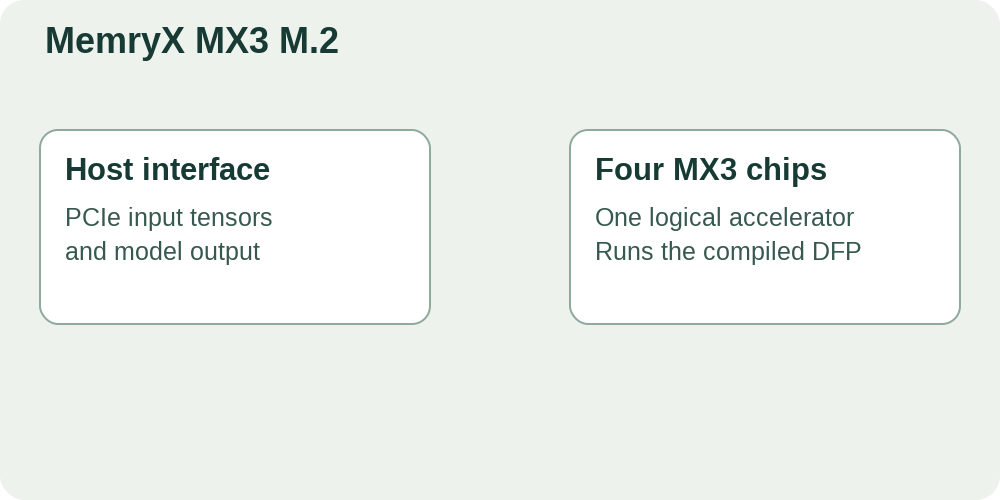 Drawing
Host and accelerator data flow
Inside AI diagram of the official example. The boxes describe functions. See the module datasheet for board photographs and component positions.
Visual gallery
Is this for me?
For readers comfortable with Linux and Python who have a spare PCIe-enabled 2280 M-Key socket and room to cool the board. The card is suited to an existing camera or video pipeline where the host can handle capture, decoding and the rest of the application.
What you can do with it
Run MemryX’s YOLO11s sample on one USB camera. Point at a familiar object and look for a bounding box, a label and a confidence score in the display. First build
What the complete setup costs
€178.99 for one MX3-2280-M-4-I. Mouser Germany showed 53 in stock on November 15, 2026 PT (November 16 CET). €178.99 first-year subtotal with a reused compatible host, screen, camera, mounting hardware and cooling. Tax, delivery, electricity and labor are excluded. Required subscription is €0. A new host, camera, mounting hardware or cooling requires a separate price. A Pi 5 setup also needs a suitable carrier and power supply. Quote and region
How to start — and what you need to learn
Check the slot supports PCIe and accepts this double-sided 2280 module. Install the Linux driver and SDK and confirm /dev/memx0. Use the tutorial archive’s prepared four-chip DFP before trying your own model. New workloads require model conversion, operator checks and validation against a baseline.
When another product is a better choice
Consider Raspberry Pi AI HAT+ if the project is built around Pi camera tooling. Consider Jetson Orin Nano Super if you need a complete host and a GPU software stack for several parts of the pipeline. Evaluate end-to-end performance on your actual workload.
What we know — and what still needs testing
Hardware testing: none yet. The datasheet and the tutorial document the card setup and pipeline. Measure detection accuracy, stage timing, dropped frames, power and temperature before making a speed or efficiency claim. Proposed experiment
Architecture
In the official YOLO11s example, OpenCV captures the camera frames. Host-side MxPrepost prepares the input tensor. At setup time, MxAccl loads the four-chip DFP prepared by the Neural Compiler. At runtime, PCIe carries tensors to and from the module, which presents four MX3 chips as one logical accelerator. The host decodes the output and draws boxes. Module documentation YOLO11s tutorial
MemryX describes its architecture as digital at-memory compute. The chip datasheet lists Group-BF16 for activations and INT8 or INT4 for weights. Use the compiler reports and measurements for the specific model when assessing the practical benefit. Architecture Chip datasheet
Documented capabilities
The vendor provides Python and C++ runtime tooling for supported hosts and supplies camera and video examples. The shipped tutorial produces object detections with coordinates, categories and confidence scores. A dual-stream detector and a Pi 5 versus CPU benchmark are proposed uses. SDK Proposed experiment
SDKs, APIs & extensibility
The sample exposes Python input and output callbacks for changes to acquisition and post-processing. For your own model, check supported operators and compiler options, compile for four chips and compare output with the reference model. MemryX publishes separate terms for the compiler, simulator and firmware and for open-source SDK components. Review the terms of any example or model you reuse. SDK Licenses
Limitations
Performance depends on host decoding, pre- and post-processing, the model, PCIe and available cooling. MemryX documents throttling at 100°C chip temperature. Linux ARM64 supports the compiler and runtime but the vendor table omits the simulator for that platform. Check current host and SDK compatibility before ordering, especially for a Pi 5 or compact system. Cooling Platform support Host recommendations
Privacy & data flow
The documented USB camera example performs inference locally and displays detections on the host. Any input recording, saved overlays or external streaming depends on the chosen application and its settings. The base estimate has no cloud inference or service fees. Official example