Control your phone’s volume with a classic ESP32
Flash Espressif’s example, pair its BLE remote, then listen for a change in media volume. You can do the first test without a breadboard or buttons.
Device profile · Espressif ESP32-DevKitC V4 ↗This is a proposed workflow. Follow the linked official setup, then use the checks below to decide whether it works on your hardware.
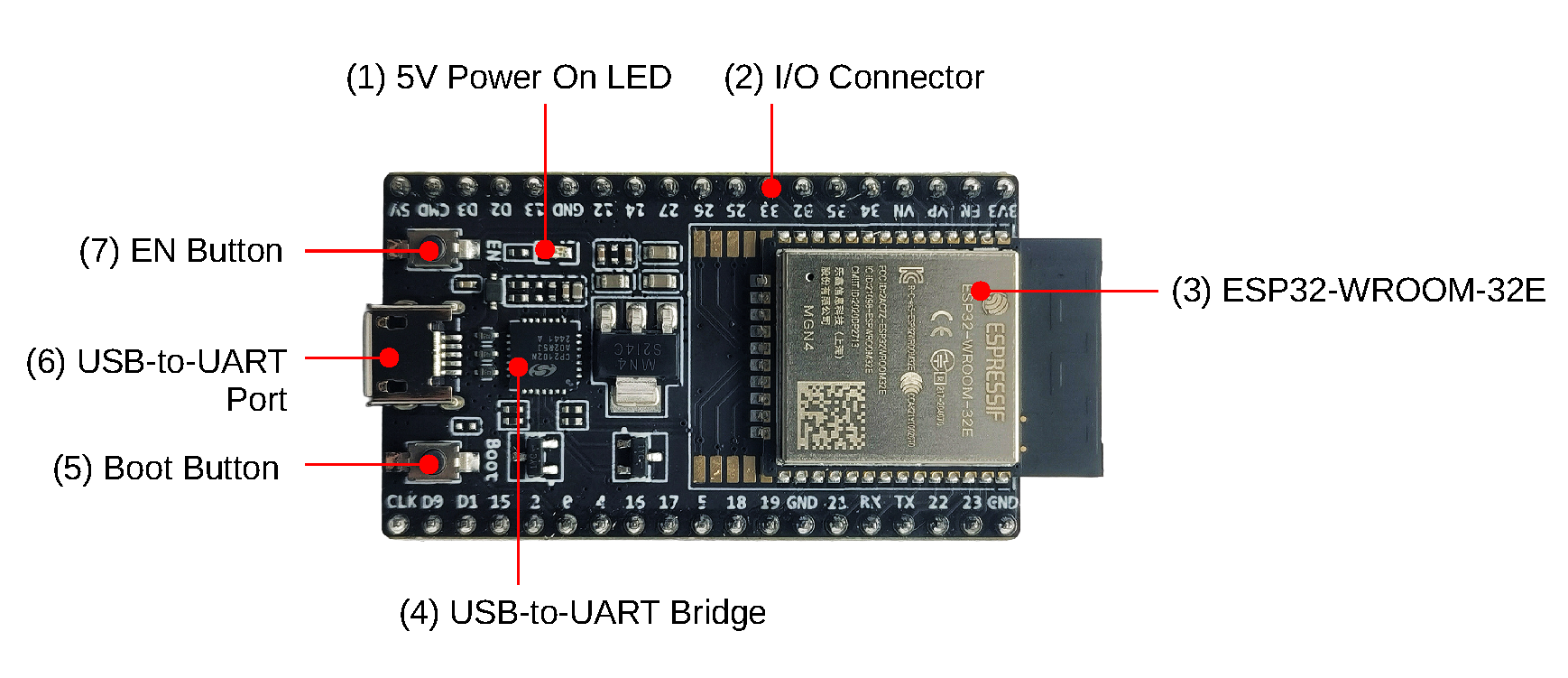
Prepare the board and phone
Use the ESP32-DevKitC-32E and a Micro-B data cable. Connect the board to your development computer, unlock your phone, and set media volume near the middle. Play a familiar audio clip through the phone speaker at a comfortable level. Hardware and ordering guide
Flash the official example
Install and activate ESP-IDF v6.1.1 with the ESP32 target. Open its examples/bluetooth/esp_hid_device directory. From that directory run the commands below with the example defaults. Replace PORT with the serial port for your board. Keep the serial monitor open. ESP-IDF installation · Example README
idf.py set-target esp32
idf.py -p PORT flash monitor
Pair the BLE remote
Open the phone’s Bluetooth device list and select ESP BLE HID2. Accept the pairing request if prompted. The classic ESP32 default configuration also advertises ESP BT HID1 for its separate mouse demo. The volume example runs automatically when the BLE device connects. Versioned example firmware
Watch one complete volume change
Look for CONNECT and Send the volume in the monitor, then listen or watch the phone’s media volume control. The firmware issues volume down, releases the key, waits, and later issues volume up. Record the phone model, OS, audio output and whether both directions worked. Disconnect the board or remove power to end the test. Versioned example firmware
If the board pairs but nothing changes
Check the BLE device name, the current audio output and the starting volume. If the computer never showed a serial port, try another data cable. For a build explicitly using the NimBLE stack on iOS, Espressif also documents its security-level setting for a missing volume popup. Example troubleshooting · Try the reconnect experiment