Make one Coralboard command change a real LED
Untested hardware procedure: establish a typed-input baseline before enabling real speech recognition.
Device profile · Synaptics Coralboard SL (2 GB) ↗This is a proposed workflow. Follow the linked official setup, then use the checks below to decide whether it works on your hardware.
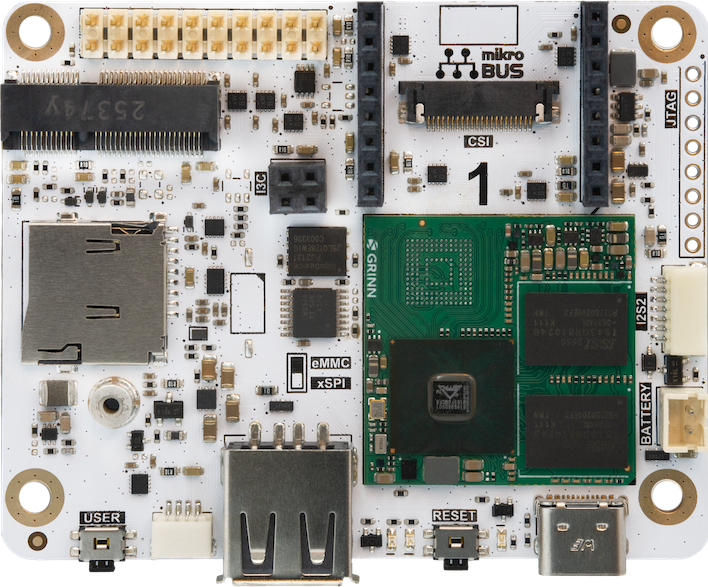
1. Prepare the exact SL board
Use the SL 2 GB board and separate Sensor HAT, a compatible microSD, an existing computer/card reader, USB data cable and adequate 5 V power. With power off, follow the SL setup. The examples name SDK 2.6.1’s SL SD-card image; do not flash the Google I/O eMMC image. Record the image/version and confirm an ADB shell before proceeding.
2. Install and verify typed input
In /home/root, follow the repository’s shared setup including submodules, then the Function_calling README for dependencies and model downloads. Use the example-specific Torq runtime version and install PortAudio for voice. With the HAT attached as documented, run the CLI and type the official red-light prompt. Success requires a matching tool call AND the intended HAT LED; a log alone is insufficient.
cd Function_calling
python3 run_cli.py
# At the interactive prompt: Turn the red light on
3. Add real microphone input
Use the documented HAT PDM mic or a USB mic. Run the real Moonshine mode after all files are downloaded. Say the same short command; compare transcript, decoded action and observed LED. Test with voice disabled and silence as controls. Stub mode is only a wiring/software check because its transcript is canned. If speech fails while typed control succeeds, inspect input device, audio libraries, model files and voice mode before changing the intent model.
python3 run_cli.py --voice moonshine4. Extend only after the baseline
A counted blue-light pattern requires checking available tool arguments or adding explicit bounded application logic; it is proposed, not established by our test. For a separate vision experiment, begin with the official YOLO image example, then a supported USB camera. A workshop log needs target classes, event state, timestamps and stale-result handling. Do not equate every frame detection with a new checkout.