Read your first XM125 presence distance
Use the factory firmware and SparkFun's Arduino example to see a changing distance on the serial monitor. This is a documented starter; Inside AI has not run it.
Device profile · SparkFun Pulsed Coherent Radar Sensor – Acconeer XM125 (SEN-24540) ↗This is a proposed workflow. Follow the linked official setup, then use the checks below to decide whether it works on your hardware.
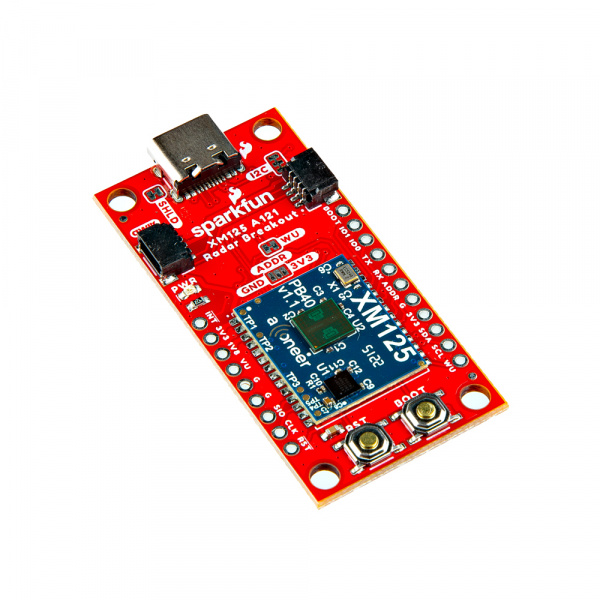
Assemble the documented setup
Use SEN-24540, a SparkFun IoT RedBoard ESP32 or a compatible 3.3 V Qwiic host, a Qwiic cable, USB data cable and computer. Connect Qwiic before power. Install the ESP32 board package and SparkFun XM125 Arduino library. The factory I2C presence firmware is the correct image for Example01. Required materials and wiring
Get the first observable output
Open File → Examples → SparkFun XM125 Arduino Library → Example01PresenceBasicReadings, select the RedBoard and its serial port, upload, then set Serial Monitor to 115200 baud. Move a hand toward and away from the sensor; look for changing presence-distance values in millimetres. If nothing prints, verify the USB data cable, port, I2C cable, board target and firmware selection before changing detector settings. SparkFun Example 1
Next controlled change
Only after that baseline, try the official advanced-settings example to bound the detection range. Record which firmware, range settings and target positions you use. A proposed follow-up is an enclosure test; do not infer range or material transparency from one hand movement. Proposed enclosure test
Budget and boundary
At 19 Nov 2026 SparkFun prices, the radar, RedBoard, Qwiic cable and USB cable sum to US$87.71 with an existing computer. There is no required plan or API charge for this Arduino route. Tax, shipping, electricity and labour are extra. Acconeer's separate firmware download/Exploration Tool path requires an account and license review. Radar listing · Acconeer terms