Give a local event a face before adding an AI model
Proposed build · Begin with the official RGB example, then one controlled expression and nod.
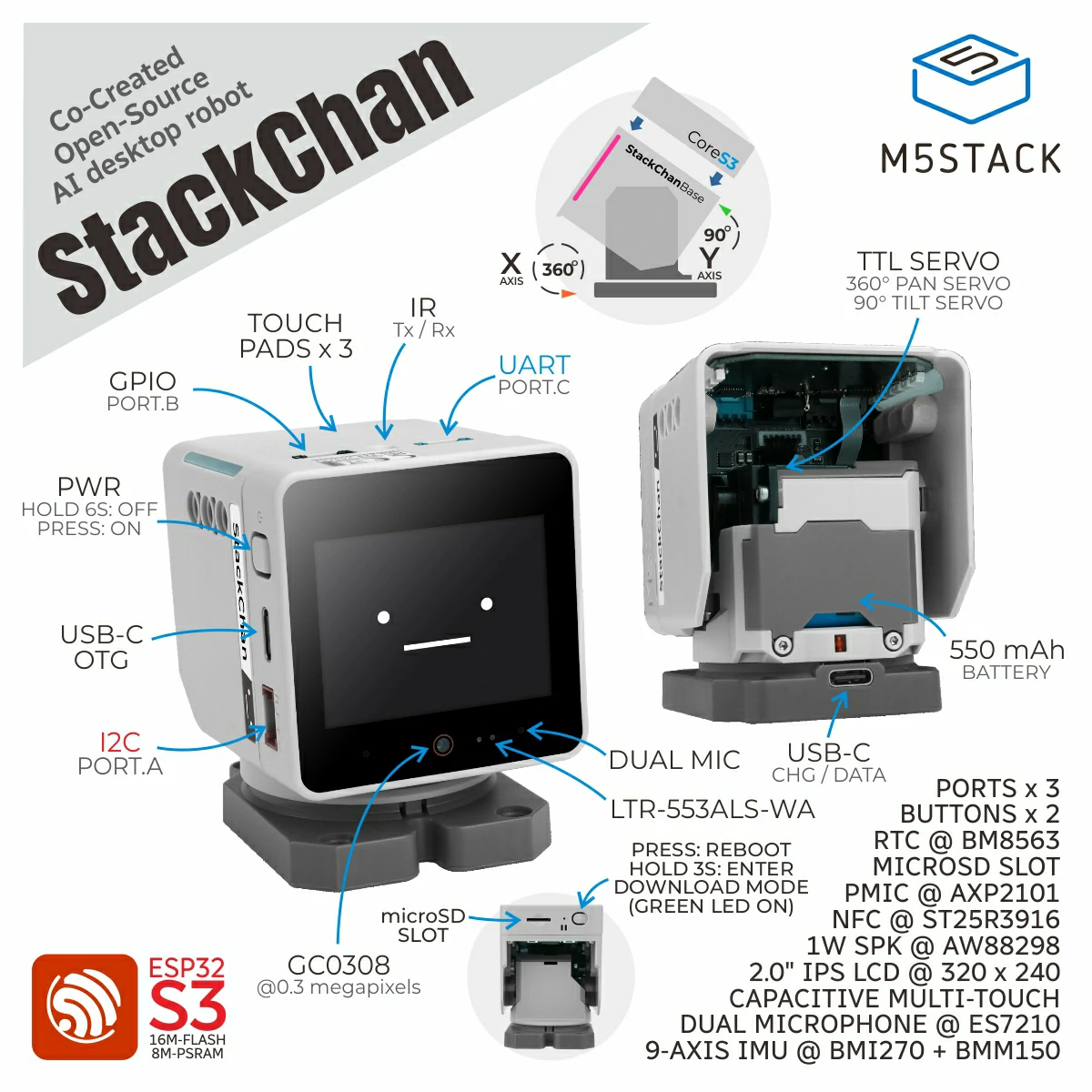
Device profile · M5Stack StackChan (K151) ↗This is a proposed workflow. Follow the linked official setup, then use the checks below to decide whether it works on your hardware.
Outcome and cost boundary
USD, 11 Nov 2026: K151 robot is $99, including the CoreS3 main unit, battery and USB-A–USB-C cable. The feed reports orderable and has a Backorder tag; the submitted “10+ in stock” and immediate delivery are not confirmed.
First-year local RGB/display prototype: $99 hardware + $0 reused development computer/USB power + $0 required online service = $99 incremental cost. If your computer has only USB-C, budget an appropriate cable/adapter separately. A suitable standalone power source is an optional $10–15 editorial allowance ($109–114 subtotal); a new development computer is unquoted.
A conversational robot is a different cost scope: add a capable local inference host, or usage-based ASR/LLM/TTS plus any server hosting. Those costs are unquoted, so $99 is not a complete conversational-system total. Factory AI free quotas, future charges and trial terms were not verified; do not assume $0 ongoing forever. Tax, shipping, electricity and labor are excluded.
1. Get an observable baseline
Follow the Arduino setup, select M5CoreS3, install M5StackChan and dependencies, enter download mode and upload the RGB example. Confirm visible LED behavior before adding any account, model or network dependency. Preserve the factory restore instructions before flashing.
2. Add one bounded action
Use the documented touch/display interfaces and servo API. Proposed behavior: a touch selects a face, moves the vertical joint gently within 30–60°, then returns to a known neutral position. Check the example’s units (10 = 1°); do not copy its 0/90° endpoint motions.
3. Connect a host only after local behavior works
Send a tiny vocabulary of actions such as thinking/done/error with a sequence number and expiry. The device validates ranges and ignores duplicate/expired commands. A host model may choose the action; unrestricted generated servo commands are not part of this design. Run the interaction test.