Get a first local voice reply from AI Pyramid-Pro
Power the exact Pro model correctly, use its factory single-turn assistant, and record whether speech is captured and answered. This is an unrun guide based on M5Stack documentation.
Device profile · M5Stack AI Pyramid-Pro (AI-003-PRO) ↗This is a proposed workflow. Follow the linked official setup, then use the checks below to decide whether it works on your hardware.
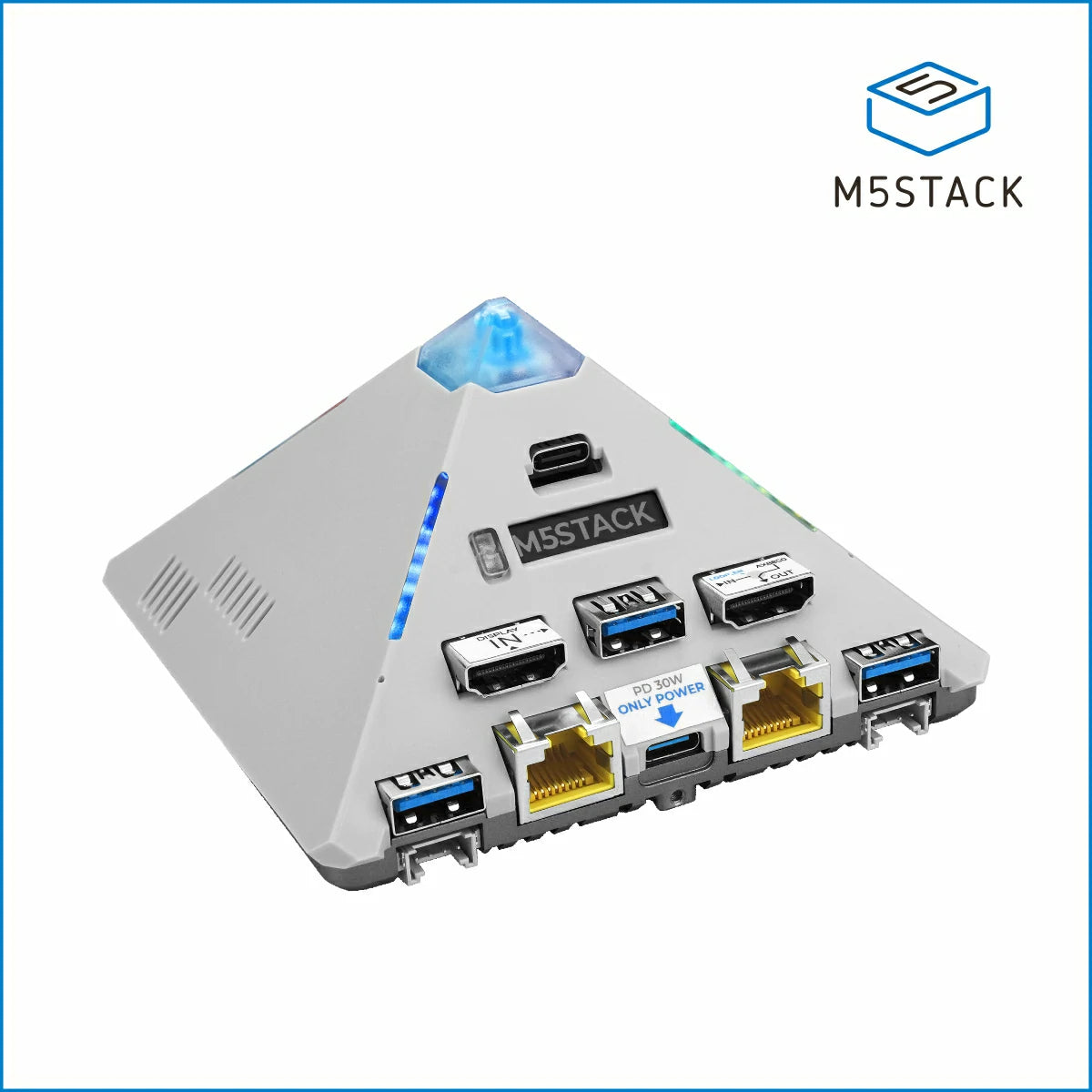
Prepare a safe first prompt
Use a harmless sentence that contains no private names or data. Confirm the supply advertises USB-PD at 9 V/3 A or higher and a suitable USB-C cable. The box listing contains only the unit. A 5 V-only source is not sufficient. Quick start
Boot and ask
Connect power. The factory assistant is documented as enabled after startup. Press the top button and ask a brief English question, such as asking for a one-sentence description of the day. A spoken response is the first observable result. The current guide says the session is single-turn; do not expect continuous conversation. Voice guide
Separate failures
If there is no boot, check the PD voltage profile before diagnosing AI software. If it boots but cannot hear the prompt, check microphone/service state and try the button instead of a wake phrase. If it hears but gives no reply, inspect the service using the documented local shell. Record firmware, installed models, network state and observed result. We have not run this on a device. After this control, consider the documented LAN API example, checking model package compatibility on the Pro first.