Read the first distance between two DWM3001CDK boards
Proposed bench exercise based on Qorvo’s pair-ranging example. Compare two known separations before adding more nodes.
Device profile · Qorvo DWM3001CDK ↗This is a proposed workflow. Follow the linked official setup, then use the checks below to decide whether it works on your hardware.
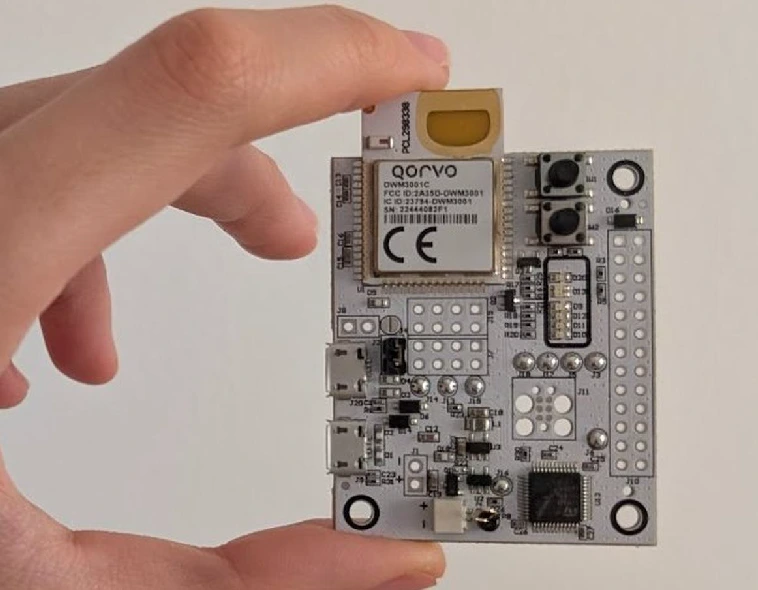
Prepare two USB nodes
Obtain the board-matched SDK and CLI firmware first. Use two data cables, a computer with two USB ports and a tape measure. Qorvo’s board guide explains how to flash through J9 with the onboard J-Link. Choose the CLI image for this serial exercise. The separate Qorvo GUI example uses UCI firmware. Quick start
Read one changing distance
With the boards powered over USB, connect the module ports (J20) to the computer and open the corresponding serial terminals. Keep the antennas facing each other at the same height. Check the build with stat, start the responder with respf and start the initiator with initf using matching session settings. Place one node at two tape marks and save the distance and status messages. Qorvo two-board procedure
Check the output
Look for valid peer measurements at both marks and an increase in reported range as you increase the separation. A session-start message alone cannot confirm a measurement. If range reports time out, check both serial ports, node roles, addresses, channel and the board-specific calibration instructions for your SDK release. Record the firmware version and the distance between the antenna reference points.
From a range to a floor coordinate
Proposed extension: fix three non-collinear anchors at surveyed coordinates and move one tag at a known height. Collect one range per anchor per round. Compute a two-dimensional least-squares position on the host and compare it with taped floor marks. Record error before and after trajectory filtering, including delay during turns. One-to-many example